Class
Welcome 🤗! In the next ~4h we will cover:
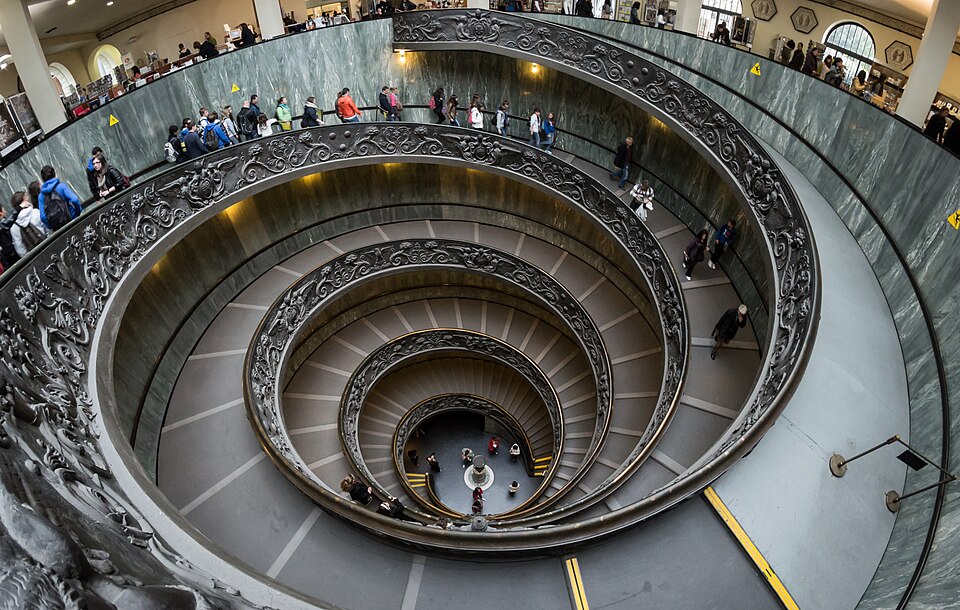
Spiral Staircase in Vatican Museum Source
Before we begin with the class:
Test ¶ (15 min)
Accept the assignment
Flowchart analysis ¶ Learning goals
Compare flowchart with the text description and check correctness
E: Checking correctness ¶ Peer feedback ¶ Giving feedback ¶ Feedback can be formulated easier, if it is based on criteria. Criteria can in return improve how you do a task.
Here is an example, how we can give feedback for Exercise 3
Example exercise
Input age, then name and store age and name in a database. If the user wants to enter more input, repeat the process.
Example criteria with feedback
Criteria
Comments
Has a start and end
end is missing
Used correct shapes
ok!
Fits description
Age input must come first, more input condition missing
Overall
You have the basics! Try to read the description again after you have drawn the flowchart.
E: Peer feedback using GitHub ¶ (10 min)
The instructor will make everyone’s homework repositories public, so you can see your peers’ repositories.
Pick two peers you want to give feedback to. Ask your peers which flowchart they want feedback on. You will give in the class only feedback to one flowchart and one peer. The second peer will be for homework.
On https:// Repositories :
Search and click the repository you want to give feedback to. On the top there is a search bar.
The repository names consist of three parts. For example, indprog-hello-flowchart-geko-st means:
Course abbreviation: always indprog
Assignment name, e.g., i-know-flowchart
The user whose work resides in the repository, e.g., geko-st
Inside the repository, click Pull requests tab:
In pull requests, click the pull request Feedback :
Here you can (1) see the changes the student have done (2) comment on them.
Click Files changed :
Click on the comment icon
Use the following feedback template and comment on it.
|  Criteria           | Comments |
|---------------------|----------|
| Has a start and end |          |
| Used correct shapes |          |
| Fits description    |          |
| **Overall** | | Click Preview to see how your text will be rendered.
Click Start a review .
After giving your feedback comments, click Submit review :
A new window will show up.
You can enter concluding comment on your review and leave the rest as defaults. Click Submit review .
Then you will see your feedback in the conversation:
Finally, as the receiver, you should implement the feedback you received and resubmit your assignment
Larger picture
We will use Feedback in Pull requests for giving feedback to each other. The feedback pull request presents all the changes the user has done.
Tracking changes is a superpower of repositories.
Core programming concepts ¶ Learning goals
Recognize sequence, selection, iteration in processes
Find examples of sequence, selection and iteration
Differentiate between control and data
Recognize condition in selections
E: Matching the three concepts ¶ The Big 3 ¶ We can describe any process using the following 3 structures.
Structure
Example
Code
Sequence
altitude-check-sequence.py
1
2
altitude = int(input())
print(altitude)
Selection
altitude-check-selection.py
3
4
5
6
if altitude > 100:
    print("Circling")
else:
    print("Landing")
Iteration [1]
altitude-check-iteration.py
3
4
5
6
7
while altitude > 0:
    print("Landing\n")
    altitude = int(input())

print("Landed")
Control vs data ¶ In programming, we distinguish between:
E: Control vs data ¶ Selection vs condition ¶ Condition can be for example:
a == b
a != b
a > b, a <= b etc
E: Selection vs condition ¶ Coding the process ¶ Now use the previous Big 3 table
If you are not familiar with programming, I recommend to draw a flowchart first and then code using the following recipe and the Big 3 table
What is the first block in the process you have to code? Is it an input, output? Replace them with input() and print().
Do you want to introduce a new variable? Use new = x + y
Do you have a selection, or iteration? Use the templates from the Big 3 table
While modifying, pay attention to the following concepts and their questions.
Sequence
What comes after what?
Selection
What is the condition? What does the condition decide?
Iteration
What is the condition? What is being iterated over?
Data
What values are being worked with?
Condition
Already part of selection and iteration.🤷
You can open the Big 3 table in a new window, so you can easily copy paste the code snippets into your editor.
E: Area of a square ¶ (7 min)
Input the side_length of a square (🟦). Output thearea. Hint
Click Edit on Compiler Explorer on the bottom-right corner:
The code will be run automatically after you modify it. The tab on the right shows the input provided to your program (10) so you don’t have to provide it manually. Your program should output 100 on the right tab.
If you get 100, change the input to 1 to test your program.
E: Energy level manager ¶ (5 min)
Rate your energy_level from 1 to 10. If it is under 5, outputTake a nap.. Otherwise, output Go for a run!.
Test with at least two inputs: 5 and 4.
E: Counting laps ¶ (5 min)
You’re a sports enthusiast building a simple coach app for runners. Ask the runner how many laps they want to run (lap_count). For simplicity, you’ll start by just tracking lap numbers that you have completed. For each lap output the current_lap_number starting from 1 until lap_count laps are completed. Finally outputWorkout done! 💪.[2]
Test with at least two inputs: 5 and 4. For example, the output for 5 should be:
1
2
3
4
5
Workout done! 💪
Code runner ¶ You find the editor on website’s menu on the left: ▶️ Code runner .
E: VSCodium installation support ¶ Next time we will use VSCodium to code.
Running a flowchart ¶ Drawing flowcharts is already programming! See Running flowcharts
E: Reflection ¶ (5 min)
Where do you have difficulties understanding? What could you do to resolve this?
Has thinking in terms of sequence/selection/iteration actually helped you approach today’s exercises ― or not yet? Give an example.
Can you spot this variable? 👀